
blurams
Hangzhou Vision Insight Technology Co.,Ltd.Video Players & Editors
4.57.61K Reviews
- Version
- 5.1049.4.939
- Installs
- 500.00K
- Age Rating
- Everyone
Screenshots
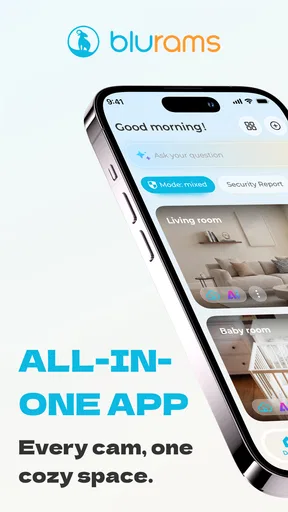
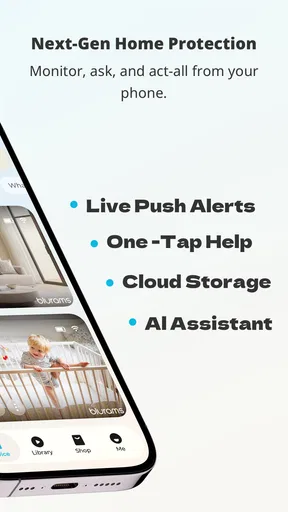
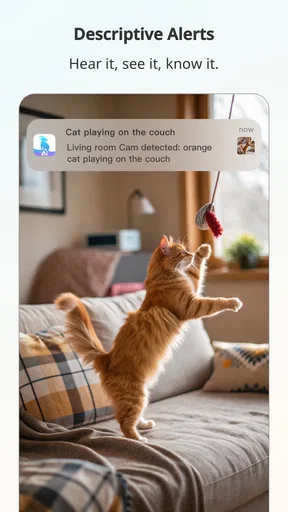
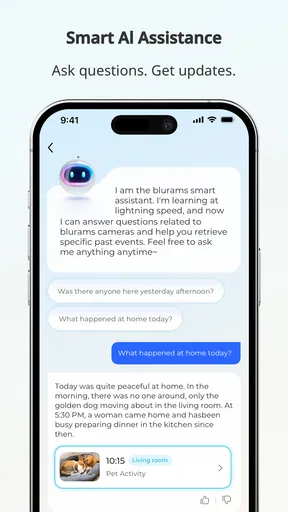
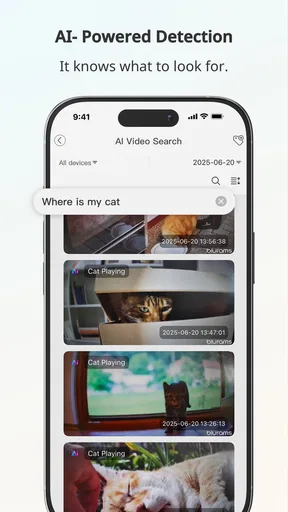
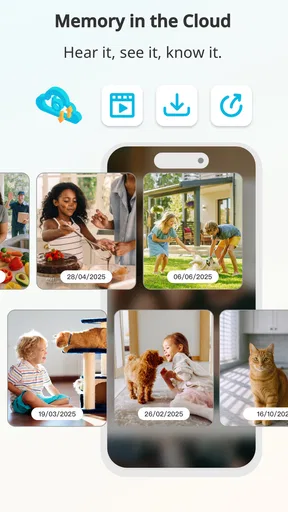
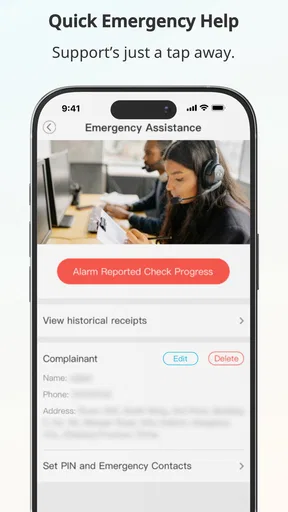
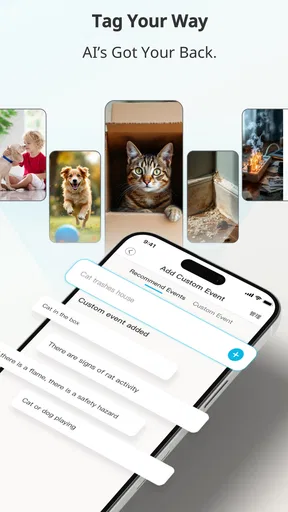
Our Review of blurams
 Analysis by Appyee
Watching a camera feed from another room sounds simple, but the real test is whether the habit remains useful after the first few days of curiosity. I spent time looking at blurams from that point of view: not just whether it can show a live view, but whether opening it becomes a dependable part of looking after a home, checking a pet, or keeping an eye on a familiar space. It is a free app in the video players and editors category, designed to work with blurams cameras rather than act as a general-purpose camera viewer.
That distinction matters immediately. If you already own a compatible blurams camera, the app is the practical route to seeing its live video feed from wherever you are. If you are searching for an app that can connect to cameras from several brands, edit recordings, or turn an ordinary phone into a complete security system, this is not the right expectation. Its usefulness is closely tied to the hardware it supports.
My overall impression is that blurams earns its place through repeated small checks, not through entertainment. The first week is naturally the most engaging, because every remote glance feels new. Later, its value depends on whether the live view solves a real routine problem quickly enough to justify keeping the app installed.
What the first week feels like
The appeal is easy to understand. Once a blurams camera is part of your home setup, the app gives you a way to view what is happening without being physically beside it. That can mean checking whether a room is occupied, seeing what a pet is doing, or taking a quick look at a space while away. The store summary focuses on viewing a home live video feed from anywhere, and that is the central experience rather than a side feature.
During the first few days, I found myself opening the app for reasons that were partly practical and partly reassuring. A remote live view can remove a small uncertainty: is the room quiet, is the pet still in its usual place, or did someone arrive home? Those checks are brief, but they can make the app feel more valuable than its narrow purpose suggests.
The strongest early use case is a household where one person is often away while something at home needs occasional visual attention. For example, imagine leaving for work after setting up the camera toward a living area. Instead of asking someone else to inspect the room, you can open the app during a break and look at the current feed. That does not replace a full monitoring service or personal presence, but it can reduce unnecessary worry.
It is also useful for shared routines. A family member may want to check the home while another person is traveling, or a pet owner may want a quick visual check during the day. The app becomes more compelling when several small moments like these happen every week. Without that need, the first-week novelty can disappear quickly.
One practical point is worth keeping in mind: the app is not the camera itself. The quality of the experience depends on having a blurams camera installed in a sensible position and ready to provide a view that answers a useful question. A poorly placed camera can make the app feel disappointing even when the software is doing its main job correctly. Before judging the app, I would spend time deciding what the camera should show and what parts of a room do not need to be visible.
The free price makes experimenting less intimidating. You can install it without paying an upfront app fee, while in-app purchases are listed from $1.99 to $129.99 per item. That range is important because “free” does not necessarily describe every possible part of the wider experience. I would treat the free installation as a chance to evaluate the basic workflow first rather than assuming every advanced option is included.
Who gets value immediately
blurams makes the most sense for existing blurams camera owners who want a straightforward way to view home video remotely. It is also a reasonable choice for someone building a camera habit around one brand and preferring a dedicated companion app instead of a generic viewer.
The app is less attractive for people who only want to edit clips on a phone. Its category may place it alongside video tools, but its practical identity here is remote camera viewing. Someone looking for trimming, filters, captions, transitions, or social-media production would be better served by a purpose-built editor.
I would also hesitate to recommend it to a person who has not decided what they want to monitor. Buying or installing a camera first and searching for a reason to open the app later usually leads to unused technology. The strongest setup begins with a repeatable question: what do I need to see, and when will I normally check it?
Why it can remain useful month after month
Long-term value comes from reducing friction in ordinary routines. A live feed is most useful when checking it takes less effort than calling someone, walking to another room, or waiting until you return home. That sounds modest, but repeated convenience is exactly what can keep a camera app relevant after the novelty fades.
I would divide the lasting value into three habits. The first is reassurance: a quick look when you are away. The second is coordination: checking a shared space before deciding what to do next. The third is observation: noticing a pattern in how a room or pet behaves while nobody is nearby. The app does not need to dominate your day to be worthwhile; it only needs to answer these questions reliably when they arise.
A useful workflow is to associate viewing with moments that already exist, such as leaving home, arriving at work, or preparing for bed. That is better than opening the app repeatedly without a purpose. It also helps prevent the camera from becoming a source of unnecessary checking. A live feed can reassure you, but constant checking can turn a helpful tool into a habit that creates more anxiety than it removes.
Another non-obvious trade-off is that a remote view can change how a household communicates. If several people can look at the same home feed, fewer messages may be needed for simple status questions. On the other hand, everyone should understand when the camera is being viewed and what area it covers. The app may make access convenient, but convenience does not automatically settle household expectations about privacy.
For pet owners, the app can be especially useful when the goal is visual reassurance rather than continuous interaction. A quick check may tell you whether your pet is resting or moving around normally. It should not be treated as a substitute for care, exercise, or a response plan when something looks wrong. The value lies in helping you decide whether a normal routine is continuing, not in pretending that a remote screen can handle every situation.
The same principle applies to children, older relatives, or anyone who needs thoughtful attention. A camera view can provide context, but it should not become the only form of supervision. I see blurams as a supporting tool for people who already have a responsible routine, not as a replacement for being present or arranging appropriate help.
Where it sits beside usual alternatives
Compared with a generic video editor, blurams is more focused on access to a compatible home camera and less relevant to creating finished videos. Compared with a general smart-home hub, it is narrower, which can be an advantage if you do not want lighting, speakers, appliances, and cameras mixed into one crowded interface.
A camera brand’s own app can also be easier to use than a third-party alternative because the controls and live feed are built around the same hardware family. The trade-off is commitment: once your routine depends on this app, changing camera brands may mean changing the app as well. People who value a broad multi-brand setup should consider that before building a larger system.
There is also a simple alternative that costs nothing: asking a trusted person to check the room. That can be better when a situation requires judgment, conversation, or physical action. blurams wins when you need a quick visual answer and no one else needs to travel to provide it.
Maintenance is where the real test begins
The app itself may take little attention, but a camera-viewing habit still creates maintenance. You need to keep the camera positioned correctly, make sure the relevant area remains visible, and remember that furniture, doors, pets, or seasonal changes can alter what the feed tells you. A view that was useful in the first week may become less useful after a room is rearranged.
I recommend checking the camera’s framing whenever you change the room. This is one of the easiest tasks to ignore because the app may still open normally, yet the picture can no longer answer the question you care about. If the camera was aimed at a doorway and a new object blocks it, the live feed may give a false sense of coverage.
Another maintenance issue is habit quality. If you only open blurams when you feel worried, the app can become associated with emergencies rather than ordinary reassurance. A calmer approach is to use it for defined, occasional checks and to decide in advance what action you will take if something looks unusual. That makes the feed more useful and reduces aimless monitoring.
Because the application connects you to a home camera from a distance, I would also be careful about who has access within the household. Keep viewing limited to people who genuinely need it, and discuss private areas before placing or sharing a camera. This is not a criticism unique to blurams; it is a basic responsibility that comes with any remote home-viewing setup.
The current version is 5.1049.4.939, and the app supports Android 7.0 and later. That makes it accessible to people using older Android devices, although I would still keep the phone’s operating system and the app reasonably current when possible. A camera app is not something I would want to leave untouched for years while expecting the same reliability from every part of the setup.
Storage and attention are also forms of maintenance. Even when the app’s main task is simply showing a live feed, keeping a dedicated camera app on your phone means another notification source and another account or device workflow to remember. If you rarely view the camera, the app can become background clutter. If you use it several times a week, that same presence starts to feel justified.
What may cause fatigue over time
The first source of fatigue is repetition without a clear benefit. Looking at the same empty room many times a day quickly loses its value. The app cannot create a reason to monitor a space; it can only make the view available. Users who expect constant novelty or rich interaction may find the experience thin once the initial curiosity passes.
The second is dependence on a single camera ecosystem. blurams is a focused companion rather than a universal solution. If your home already contains cameras from different manufacturers, you may prefer an app that combines them, even if that means accepting a less tailored interface. A dedicated app is strongest when your hardware choices are already aligned with it.
The third is the gap between seeing and solving. A live feed can show that something is happening, but it may not let you correct the situation. If a pet knocks something over, a child enters a restricted area, or a room needs physical attention, the screen only gives you information. I would not choose this app as the central part of a setup where immediate remote intervention is essential unless the broader hardware arrangement supports that need.
Cost can become another point of friction for users who move beyond basic viewing. The app is free to install, but the listed in-app purchase range reaches from $1.99 to $129.99 per item. Before relying on a paid option, I would check exactly what it adds and whether it supports a problem you genuinely have. A feature that sounds useful in theory may not justify recurring attention or expense in a casual setup.
There is also emotional fatigue. A camera can encourage people to check whenever they feel uncertain, creating a loop of worry and reassurance. I found the app most sensible when used as a deliberate tool rather than a continuous window into home life. If monitoring starts to interfere with your day, the answer may be to reduce the checking routine, reposition the camera, or decide that a different kind of support is needed.
Questions I would settle before installing it
If you are wondering whether it works without a blurams camera, I would not choose it on that assumption. Its purpose is to view a home live feed from a blurams camera, so the camera connection is central to the experience. It is not a general viewer for any camera you happen to own.
If you are asking whether it is suitable for video editing, my answer is also cautious. Although it appears in a video-related app category, I would select a dedicated editor for creative work. blurams is better judged by how quickly and comfortably it lets you inspect a compatible home camera.
If you are concerned about age suitability, the app is rated Everyone. That describes the app’s content rating, not a recommendation to give every household camera view to every person. Access should still be handled thoughtfully, especially when the camera covers private areas.
If you are deciding whether the free version is enough, begin with your basic routine. Install it, connect the compatible camera, and see whether the live view answers your everyday question without requiring extras. Only then should you consider an in-app purchase, particularly because individual purchases are listed across a wide price range.
Finally, if you are unsure whether you will keep using it, ask yourself how often a remote visual check would genuinely help. A camera aimed at a frequently relevant area has a better chance of creating lasting value than one installed simply because remote viewing sounds interesting.
My long-term verdict
blurams is a focused app with a clear job: it brings the live view from a compatible blurams camera to your phone so you can check home from a distance. I like that its value is easy to understand, and I can see it becoming a quiet but useful part of a household routine. The strongest benefit is not excitement; it is the small amount of uncertainty removed by a quick look.
The app has a 4.5 average from around 43 thousand ratings, with over 500 thousand installs, which suggests that many people find the basic idea worthwhile. Those figures do not change the central trade-off: lasting usefulness depends on your camera placement, your reason for monitoring, and your willingness to maintain a sensible checking habit.
Developed by Hangzhou Vision Insight Technology Co.,Ltd., it has been available since December 8, 2018, and its Everyone rating makes it approachable for a broad audience. I would recommend it to blurams camera owners who want a dedicated remote viewing experience and who have a specific, recurring reason to look in on home.
I would skip it if you need a multi-brand camera dashboard, a creative video editor, or a system that can solve problems remotely rather than merely show them. I would also avoid installing it without a clear monitoring purpose, because the novelty of seeing a room from elsewhere is unlikely to carry the experience for long.
After the first week, the app earns its place only when it becomes a small, controlled habit: open it when a real question comes up, use the view to make a sensible decision, and close it again. Used that way, blurams can remain useful month after month. Used as an endless window into home, it is more likely to create fatigue than lasting value.
Verdict
Strengths of blurams
- Sharp video quality with useful night vision for monitoring rooms.
- Two-way audio makes it easy to communicate with people or pets remotely.
- Motion and sound alerts help you react quickly to activity at home.
- Cloud and local storage options provide flexibility for saving recordings.
- Simple setup process and an intuitive app interface for everyday use.
Limitations of blurams
- Some advanced features require a paid cloud subscription.
- Privacy concerns may arise from cloud-connected cameras and stored footage.
- Notifications can become frequent when motion sensitivity is set too high.
- Performance depends heavily on a stable Wi-Fi connection.
- Certain camera models offer limited compatibility with third-party platforms.
Similar Picks in This Category
View All
Google TV
Google LLC3.9

iTunes
Apple4.7

YouTube
Google LLC3.8

MX Player
Amazon Mobile LLC4.2

CapCut - Video Editor
Bytedance Pte. Ltd.3.5

PLAYit-All in One Video Player
PLAYIT TECHNOLOGY PTE. LTD.4.5
Frequently Asked Questions
What is blurams and what can I use it for?
blurams is a smart home security app designed to manage compatible blurams cameras from an Android or iOS device. After connecting your camera, you can typically view live video, check recorded events, receive motion or sound alerts, and communicate through supported two-way audio features. It is useful for monitoring rooms, entrances, pets, children, or other areas, although available tools depend on the camera model and subscription plan.
How do I set up a blurams camera with the app?
To begin, install the blurams app, create or sign in to an account, and follow the on-screen instructions to add your camera. Most models require a stable Wi-Fi connection and may ask you to scan a QR code or enter network details during pairing. Keep the camera near your router during setup, enable the requested permissions, and check that your phone is connected to a compatible wireless network.
Does blurams require a subscription to work?
Many blurams cameras can provide basic functions without a paid subscription, such as live viewing and certain local controls. However, features like cloud video history, extended event storage, advanced detection, or additional smart notifications may be limited to a subscription or trial plan. Before purchasing, review the exact camera model and current plan details because included features, storage periods, and pricing can vary.
Can I watch blurams cameras remotely and receive alerts?
Yes, blurams is intended to let you access compatible cameras remotely when the camera and your mobile device have reliable internet connections. The app can send notifications for detected motion, sound, or other supported events, and you can open the live feed from the alert. For dependable monitoring, configure detection zones and sensitivity carefully, and remember that alerts may be delayed by network conditions.
Is blurams safe to use for home security and privacy?
blurams includes account-based access and security-related settings, but no connected camera system should be treated as completely risk-free. Use a strong, unique password, enable available account protection, keep the app and camera firmware updated, and avoid sharing login details. Review privacy, microphone, location, and notification permissions before use. Cloud recording and data-handling practices should also be checked in the provider’s current privacy policy.
